

GroundX Ingest for Parsing
Comprehensive Document Parsing for Modern Applications
In this guide, we’ll introduce EyeLevel’s X-Ray, a modern parser designed to extract high quality data from complicated real-world documents. X-Ray employs cutting edge parsing techniques which are specifically designed to support modern workflows like RAG, Agents, and Document Summarization, allowing developers to connect data from human-centric documents to LLM powered applications.
X-Ray in a Nutshell
You can think of X-Ray as a cocktail of document understanding and advanced parsing approaches packaged together under a single API. To give you an idea, these are some of the components which X-Ray employs to understand human-centric documents:
- Bespoke document understanding models to detect key elements within documents.
- Advanced OCR processes which facilitate textual extraction from a variety of document representations.
- A repairing and reformatting pipeline that improves parse interpretability.
- A re-contextualization system that promotes fully contextualized summarizations of parsed results.
The upshot is a system which can extract complete ideas from complex documents, and represent those ideas in a way which is easy for both developers and LLMs to understand.
See it for yourself
X-Ray’s fine tuned vision model is one of the most critical components of the system. Over the last 4 years, EyeLevel has collected a comprehensive set of documents from a variety of domains which have been used to train, in our opinion, the highest quality vision model for understanding complex real-world documents to date. You can use this demo to get an idea of how X-Ray works with your documents.
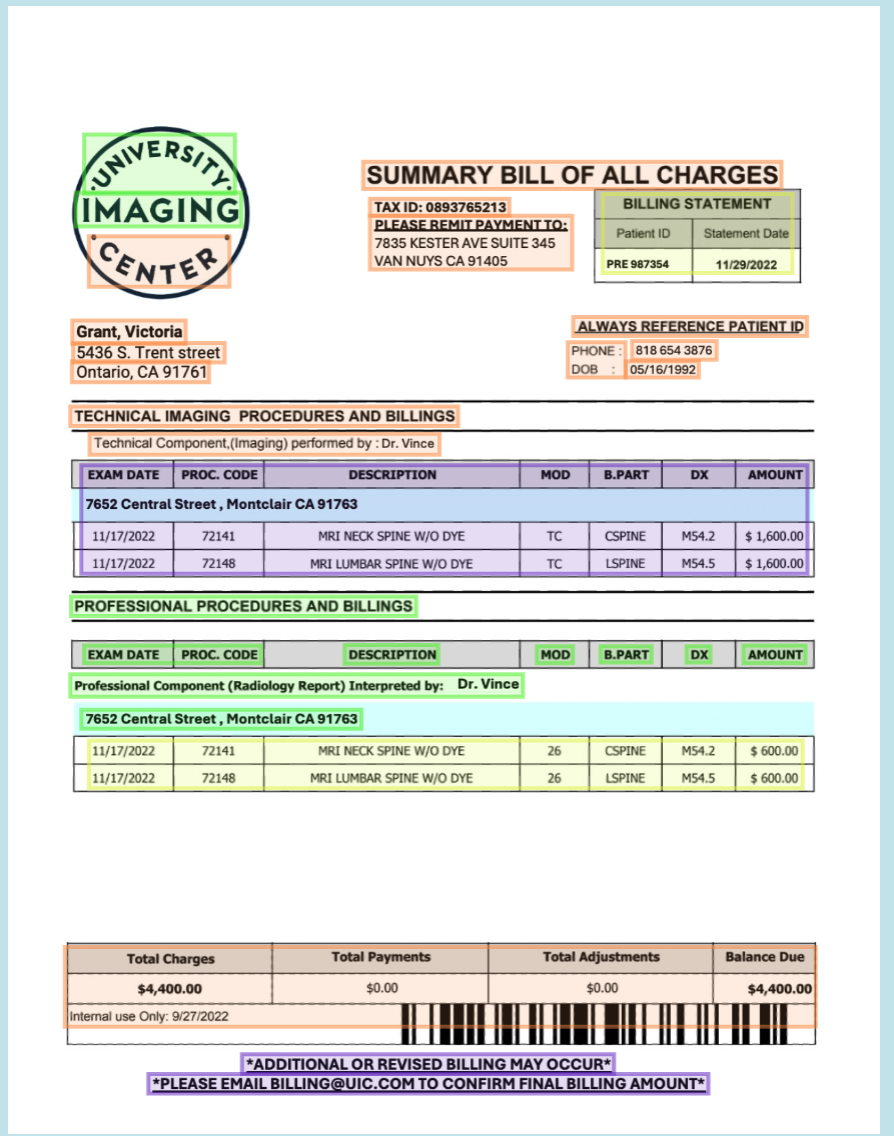 An example of X-Ray identifying and extracting key elements from a real-world document.
Or you can get started with our APIs by following these simple steps:
How to use X-Ray
API Key
- Go to the GroundX dashboard to get your API key.
- GroundX can be installed for Python via pip install groundx
- GroundX can be installed for NPM via npm i -s groundx
Python 1.3.19 and TypeScript 1.3.24. Older versions of the SDKs do not contain X-Ray support.1) Creating a Bucket
Once you have a GroundX API key you may wish to create a bucket. Buckets can be used to organize documents into different groupings, which can be useful for certain applications. We can list all available buckets via List Buckets, and create a new bucket via Create Bucket.
3) Uploading Documents
Uploading documents to a GroundX bucket will automatically trigger X-Ray. There are a variety of uploading options which might be useful for a variety of use cases. In this example we’re uploading a document which is stored locally using Ingest Local.
4) Querying Upload Status
Ingesting returns a process_id, which can be used with Get Processing Status to query the progress of the upload. This code checks the status of the process every 10 seconds until ingestion is done.
5) Getting X-Ray Results
Now that our documents are fully uploaded we can get all the documents in our bucket via Get Document. We only uploaded a single document, so we can get the one and only document at index 0, and then get the URL in which the X-Ray output is stored.
6) Interpreting X-Ray Results
X-Ray provides a rich set of results which may be useful in a variety of use cases. Here are some noteworthy outputs of X-Ray:
- fileKeywords: A list of keywords which describe the document
- fileSummary: A summary of the entire document
- boundingBoxes: Key regions within the document which contain meaningful content.
- contentType: The type of content a certain chunk is. Textual paragraph, graphical figures, or tables.
- json: A reformatted representation of graphs and figures in a json format, useful for both LLM and programatic workflows.
- narrative: A reformatted representation of graphs and figures in a narrative format, often useful in LLM applications.
- sectionSummary: A contextually summarized representation of a particular section of the document.
This is the full structure of an X-Ray parse: