

GroundX Ingest for Parsing
Comprehensive Document Parsing for Modern Applications
X-Ray analyzes document layout, text, tables and figures for use in RAG, agents and document summaries.
For structured JSON your application can use directly, see Extract Data from Documents, or Use GroundX With Your Agent if you’d like an agent to draft that schema for you.
X-Ray in a Nutshell
X-Ray combines these processing steps in one API:
- Models detect document elements.
- OCR extracts text.
- Repair and formatting steps make parsed content easier to use.
- Contextualization adds summaries and surrounding document context.
The result represents document content in a form developers and LLMs can use.
See it for yourself
X-Ray uses a vision model trained on documents from multiple domains. Try the demo with your documents.
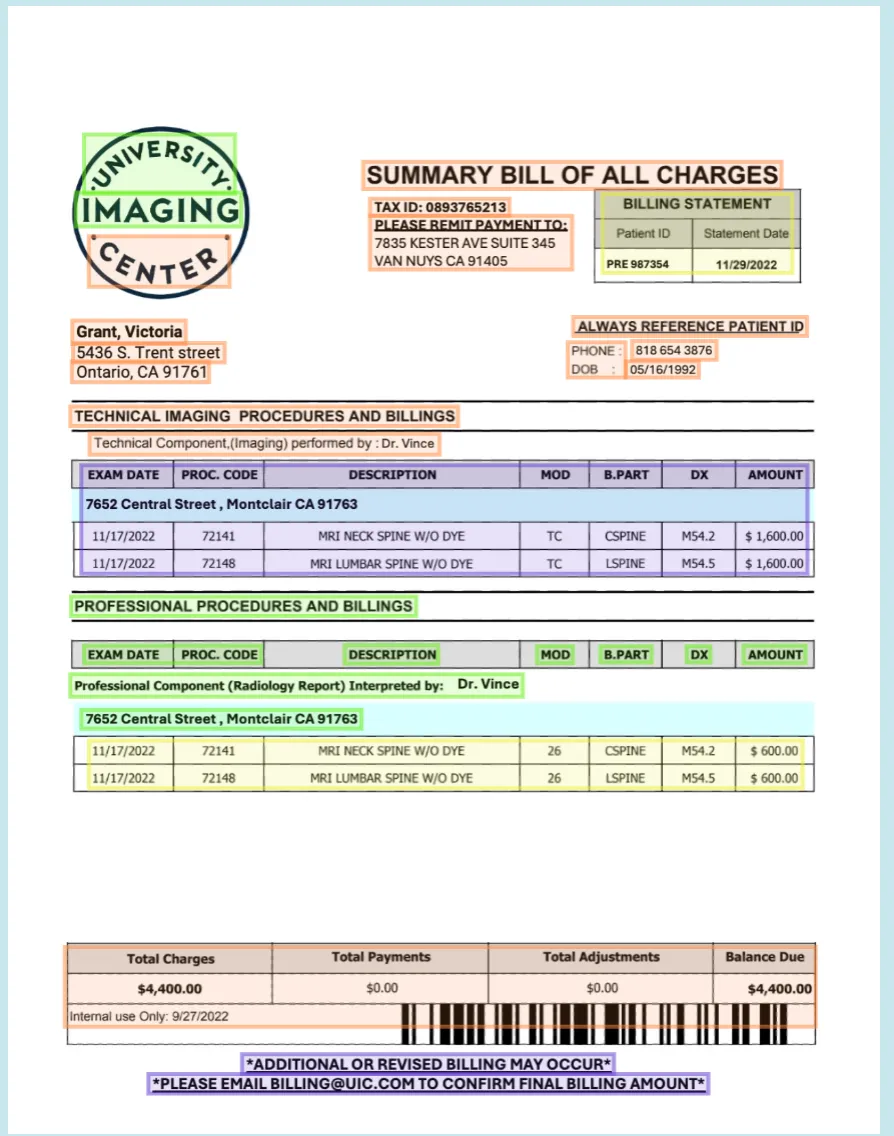 An example of X-Ray identifying and extracting key elements from a real-world document.
To use X-Ray through the API, follow these steps:
How to use X-Ray
- Go to the GroundX dashboard to get your API key.
- Install the Python SDK with pip install groundx
- Install the TypeScript SDK with npm i -s groundx
Python 1.3.19 and TypeScript 1.3.24. Older versions of the SDKs do not contain X-Ray support.1) Authenticating
Create a client with your GroundX API key. Use it for the remaining requests.
2) Creating a Bucket
Choose an existing bucket with List Buckets, or use Create Bucket to create one.
3) Uploading Documents
Uploading a document with full processing produces X-Ray. This example uploads a local document using Ingest Local.
4) Querying Upload Status
Ingest returns a process_id. Use Get Processing Status to check progress. These examples poll every 3 seconds until processing completes, fails or is cancelled. For polling guidance and large batches, see Errors and Rate Limits.
5) Getting X-Ray Results
After processing completes, use Get Document to look up the bucket’s documents. This example assumes the bucket contains only the document just uploaded. It reads that document’s xrayUrl and downloads the X-Ray JSON.
6) Interpreting X-Ray Results
X-Ray includes these fields:
- fileKeywords: Keywords describing the document.
- fileSummary: A summary of the document.
- boundingBoxes: Coordinates of document content.
- contentType: The chunk’s element types: paragraphs, figures or tables.
- json: Graphs and figures represented as JSON for LLMs and application code.
- narrative: Graphs and figures described in text for LLMs.
- sectionSummary: A summary of the document section.
The following example shows the X-Ray structure:
Next Steps
- Need structured JSON your application can use directly, instead of the full X-Ray payload? See Extract Data from Documents.
- Want an agent to draft that extraction schema for you? See Use GroundX With Your Agent.
Protected X-Ray
On a compatible deployment, protected document metadata returns xrayUrl with ?view=links. Fetch it from a trusted server with X-API-Key to get fresh links to the stored source, pages and crops. An MCP token does not authenticate file-host requests.
This view requires GET, rejects Range and returns fresh JSON without raw-file ETags or 304 responses. The URL without ?view=links and an xray share link return stored raw JSON. Sharing that JSON does not grant access to the files it references. Preserve raw bytes for evidence and fixtures. Large protected X-Ray responses use the file gateway to avoid buffered API size limits. See File Access and Sharing.